Shapes become isolated islands
You may know several chords and scale patterns but still hesitate when you need to move the same harmony into another part of the neck.
A clearer way to learn the guitar fretboard
You already know the chords. Now connect them.
Why the neck can still feel disconnected
Lessons, diagrams, chord charts, and scale boxes can teach useful information. The harder part is turning that information into movement: seeing where the next chord sits, choosing another inversion, and understanding how nearby scale tones belong to the same key.
You may know several chords and scale patterns but still hesitate when you need to move the same harmony into another part of the neck.
A triad is a compact chord structure. Seeing the same root, third, and fifth in different inversions makes it easier to recognize one chord in several locations.
Choose a key and fret range, then see a connected set of playable diatonic triads instead of searching the entire fretboard at once.
Progression, recall, ear, chord-tone, and voice-leading tools reinforce the same relationships until you can take them back to the guitar.
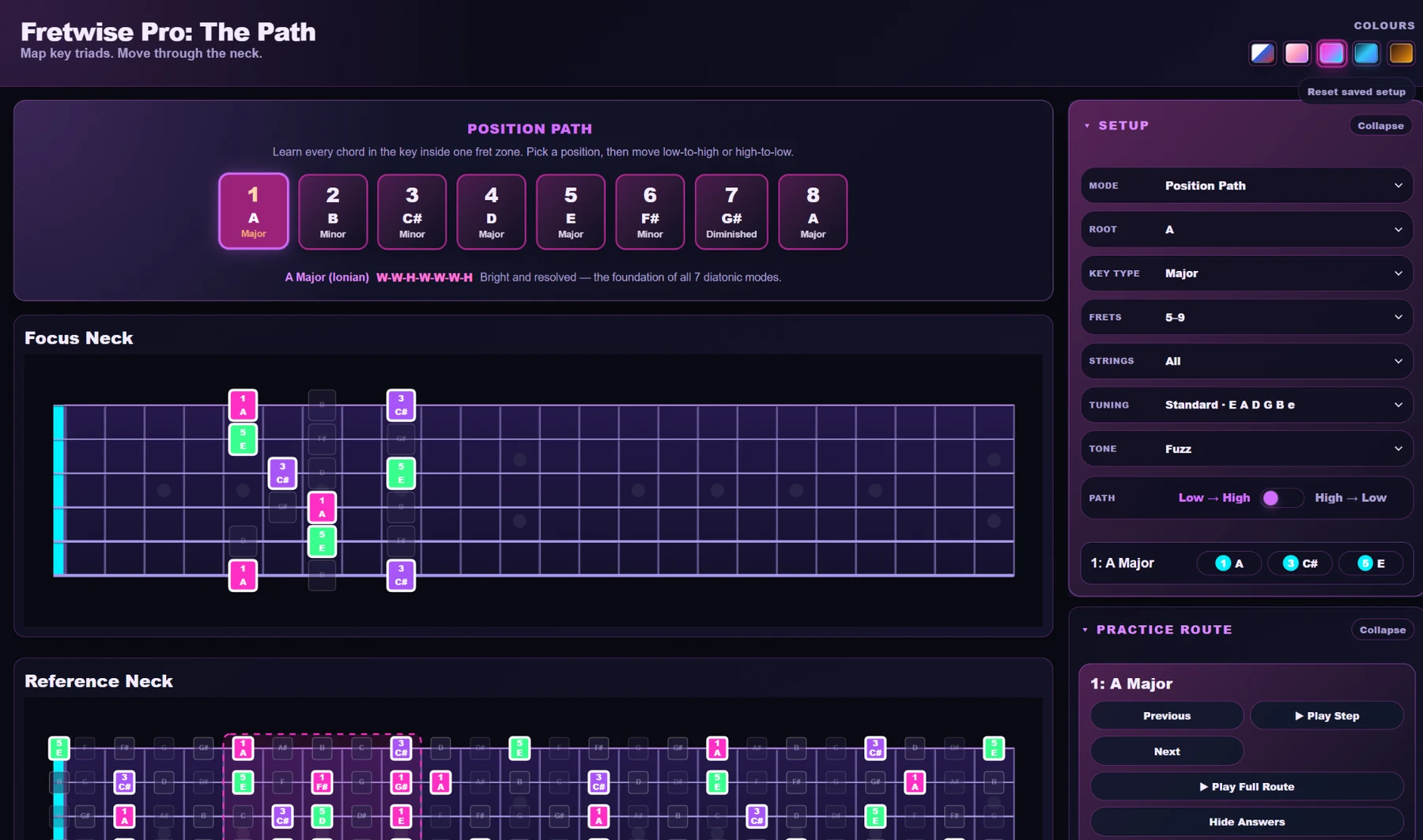
Start here - Position Path
Choose a key, fret zone, strings, tuning, and direction. Position Path finds playable diatonic triads in that area and organizes them into a route you can see, hear, and practise.
Learn where the seven chords sit.Connect scale degree, chord quality, inversion, and location.
Keep the whole route in view.Focus Neck shows what to play now while Reference Neck keeps the larger path visible.
Practise movement, not memorization.Play the full route, work step-by-step, then reverse direction and test recall.
Tools that reinforce the same connected-neck approach
Each mode reinforces a different part of fretboard fluency: inversion choice, scale context, chord construction, timing, recall, hearing, or smooth voice leading.
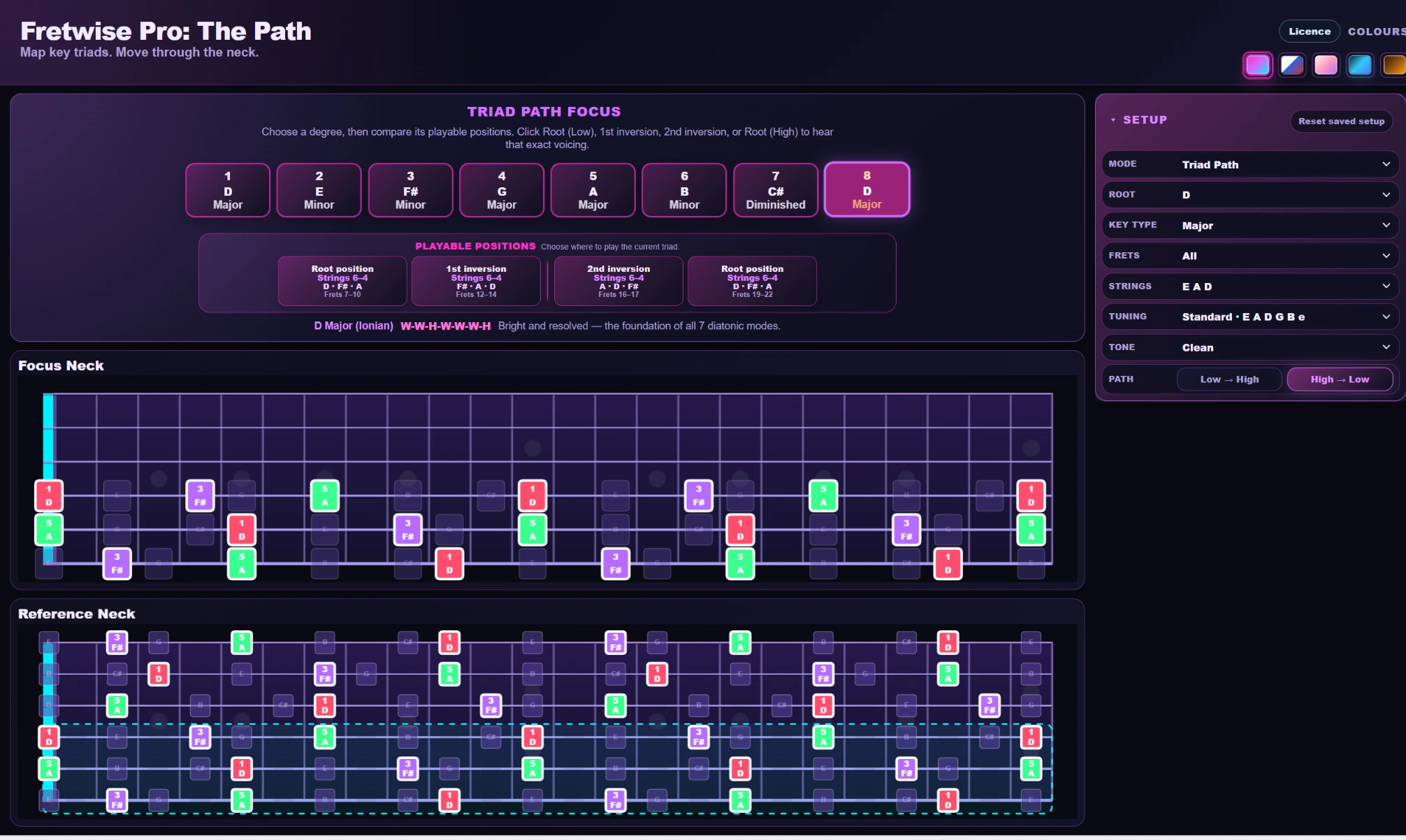
Triad Path
Choose a diatonic degree, then compare the playable Root Low, 1st Inversion, 2nd Inversion, and High Root positions that fit your selected range. The lesson is simple: one chord is not one shape.
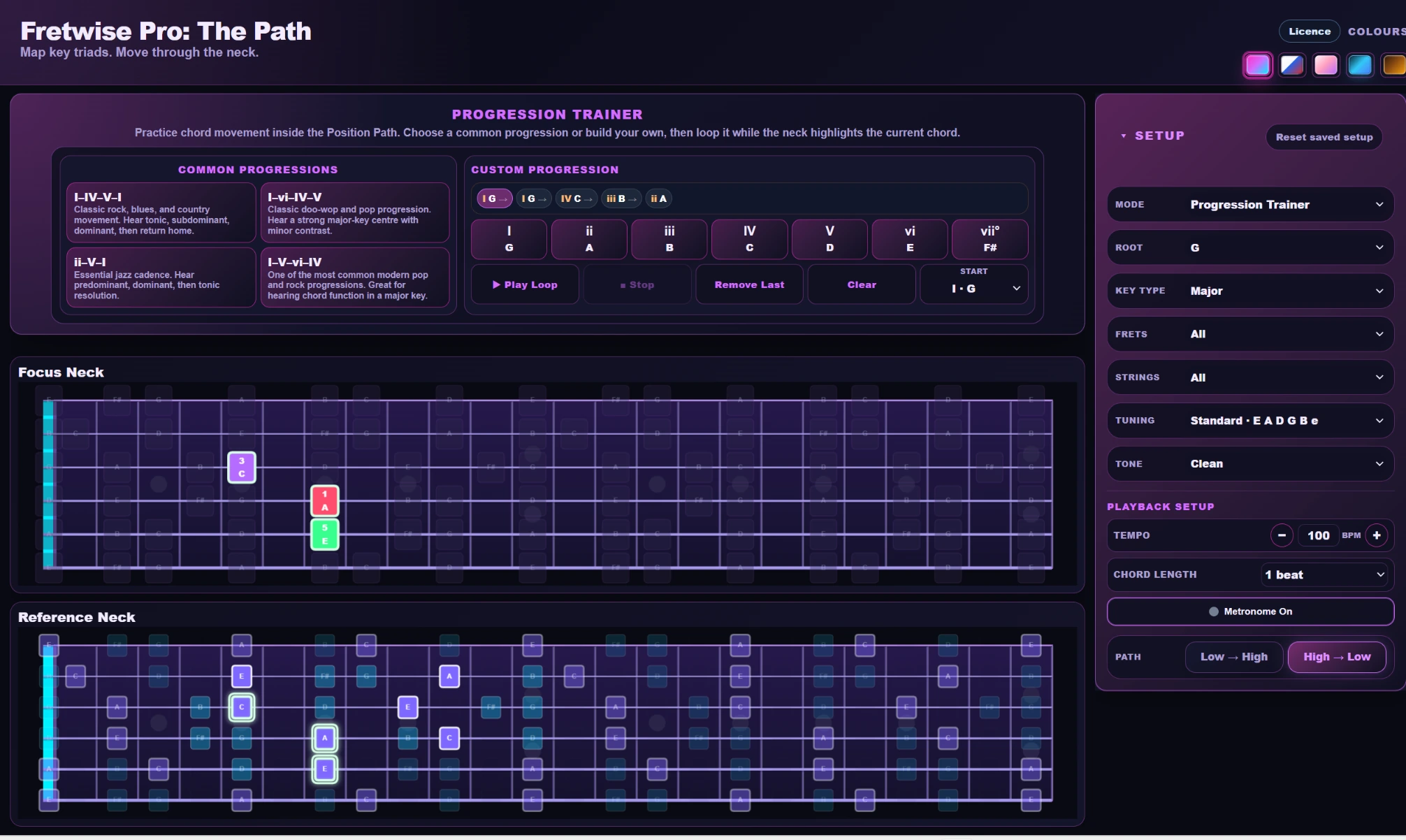
Progression Trainer
Loop common or custom progressions with BPM, chord length, metronome, direction, and Position Path context. Learn to make the next shape arrive on time instead of only knowing where it is.
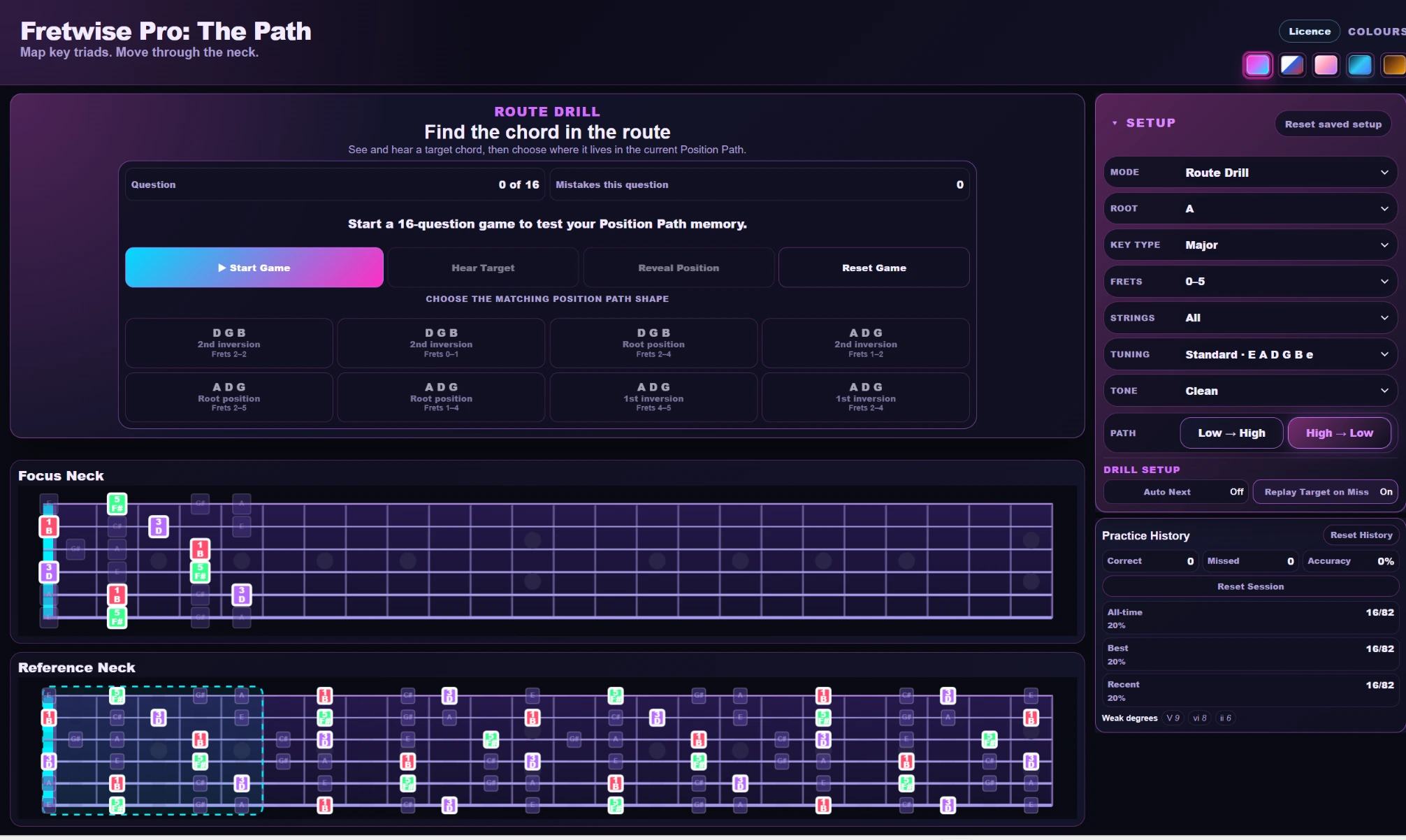
Route Drill
Randomized route questions and weak-degree history show whether the route is actually available on demand - not just memorized as a sequence.
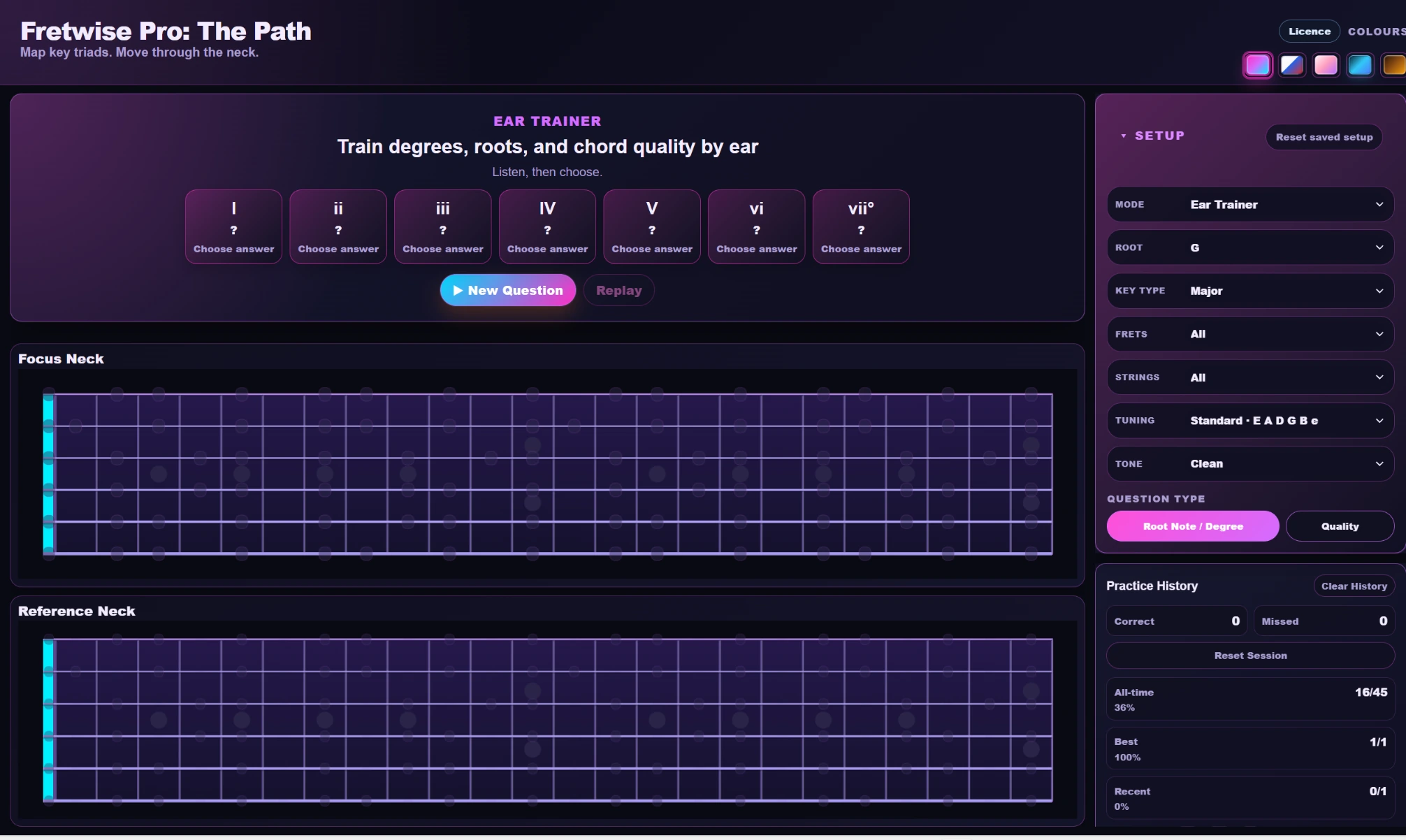
Ear Trainer
Train Root Note / Degree and Quality recognition so the route becomes something you can identify by sound, not only something you recognize on the screen.
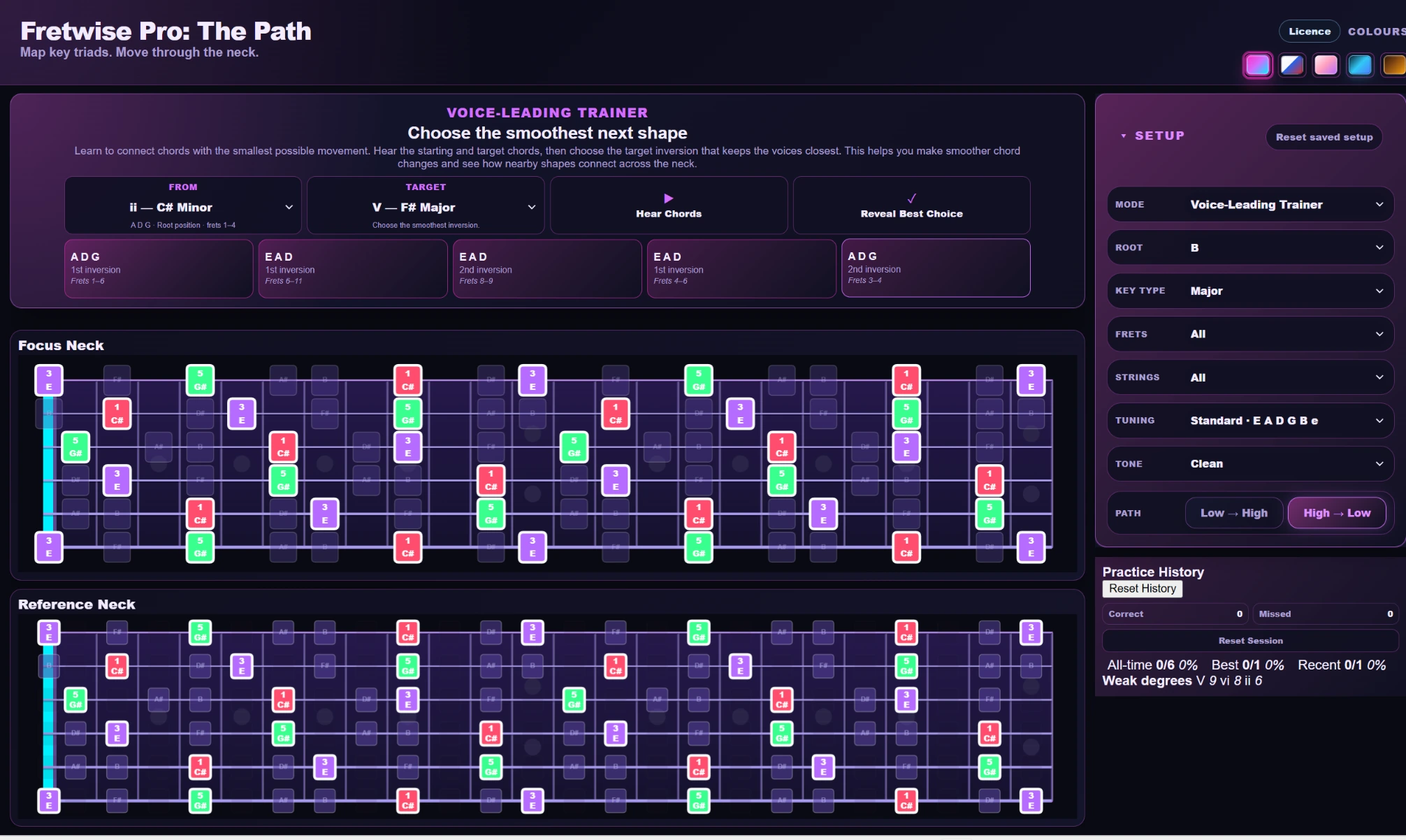
Voice-Leading Trainer
Compare randomized target candidates by movement and common tones, then use Reveal Best Choice to learn why one connection is smoother than another.
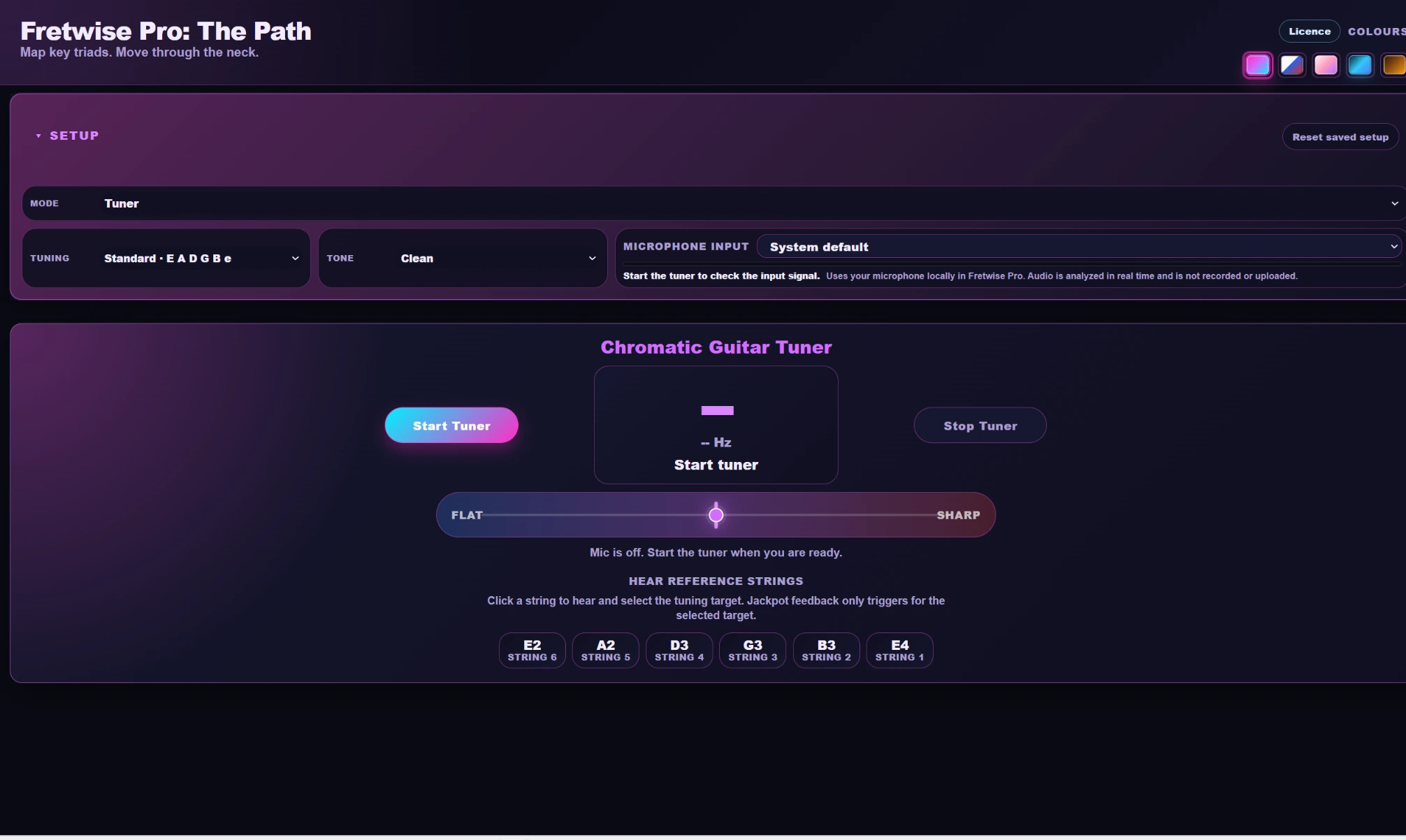
Tuner and Custom Tunings
Use the Chromatic Guitar Tuner, standard-string reference tones, preset alternate tunings, or a saved custom six-string tuning so the app always matches the guitar in your hands.
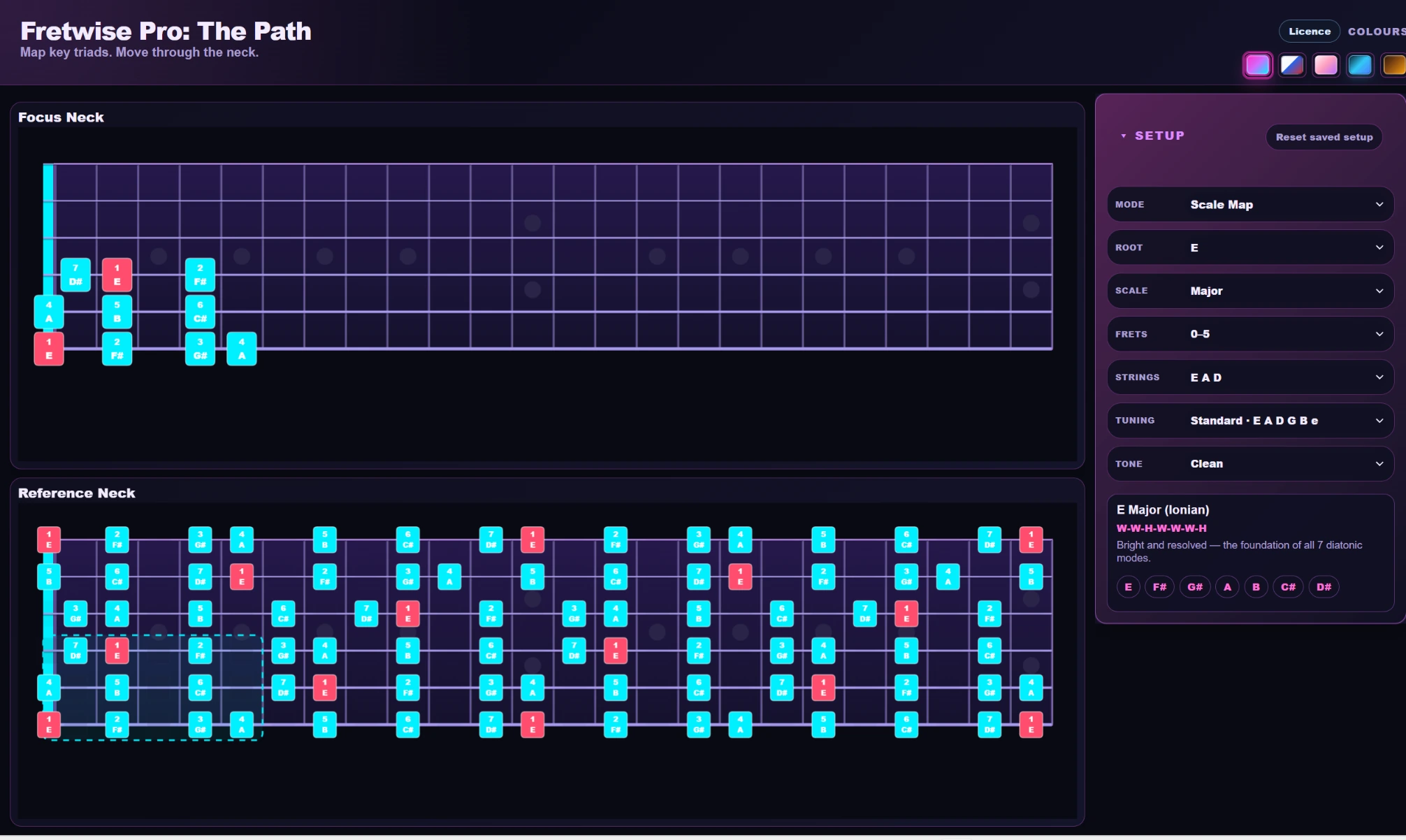
Scale Map
Map the selected scale across your fret range so chord shapes, fills, and neighbouring scale tones start to feel like one note environment.
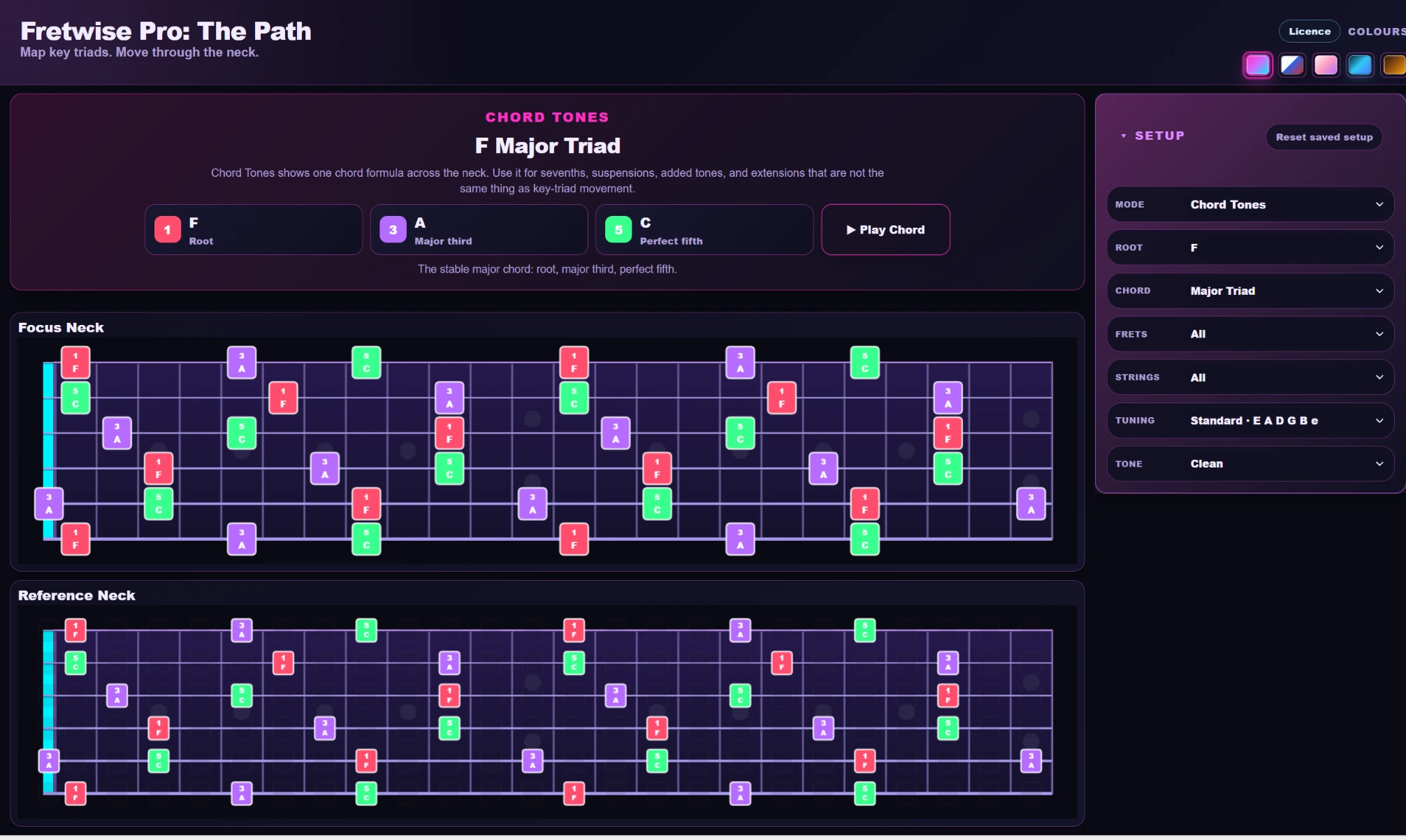
Chord Tones
Study the root, third, fifth, seventh, and available extensions across the selected range, then use Play Chord to hear the formula as one sound.
What the modes build together
Fretwise is not a pile of unrelated exercises. Position Path gives you the route; the other modes make that route more useful and more automatic.
Position Path, Triad Path, Scale Map, and Chord Tones organize the neck into understandable relationships.
Progression Trainer turns the shapes into timed chord movement.
Route Drill and Ear Trainer test whether the information is available without simply following the screen.
Voice-Leading Trainer teaches you to choose the next inversion for smaller, cleaner movement.
See How Fretwise Works
Campaign 1 introduces the connected-neck idea at the top of the page. This original product demonstration goes deeper into the interface and the practice tools inside Fretwise Pro: The Path.
Product demo
Take a closer look at the app, Position Path, and the connected-neck practice tools available after you understand the idea behind Campaign 1.
Quick examples
Four short examples show how Fretwise turns familiar chord shapes and fretboard positions into connected movement.
Short 1
See a simple shape become connected movement across the neck.
Short 2
See how one familiar shape can connect to new positions.
Short 3
Watch the app map a route, then hear the idea used musically.
Short 4
Chords, scales and triads make more sense when you can see the relationships between them.
30-Day Fretwise Challenge
Before you start, record a short Day 1 clip of something you have had difficulty playing. Use Fretwise as part of your guitar practice, then revisit the same idea on Day 30 and compare the two.
Share any or all of those progress videos on social media and tag @FretwisePro so the Fretwise community can follow along. Posting is optional, and your progress is your own—Fretwise does not guarantee a particular result in 30 days.
Purchase details
Manual
The version 1.0.0 manual explains what every mode does, what you should learn from it, why that skill matters, exact practice steps, licence management, troubleshooting, and support.
It is designed primarily for self-taught and intermediate guitarists who already know some chords or shapes but still feel disconnected when moving through a key, choosing inversions, or finding the next useful shape on the fretboard.
The goal is to learn how diatonic chords, inversions, scale tones, progressions, ear recognition, and voice leading connect inside real fretboard areas. Fretwise gives you a route first, then uses the trainer modes to make that route easier to hear, remember, and use.
No. The founding release is a one-time CAD $9.99 purchase, plus applicable taxes. It includes the complete version 1 app and all version 1 updates.
After a direct purchase, your purchase email provides your receipt, both the Windows and Mac downloads, and one unique licence key. The user manual is available online and as a downloadable PDF.
Version 1 supports Windows 10 or 11 (64-bit) and macOS 12 Monterey or later. The Mac download is universal and supports both Intel and Apple Silicon Macs.
Enter the licence key from your purchase email when prompted by the app. Internet access is required for initial activation and may be required occasionally to validate the licence.
Yes. One direct purchase includes both the Windows and Mac versions. You can download either version later using the download link from your original purchase email — there is no need to buy Fretwise Pro again.
The personal licence allows activation on up to two computers total in any combination of Windows and Mac. Use the deactivation control to free an activation when moving to another computer.
Yes. Windows users can also use the official Microsoft Store listing. The direct Fretwise purchase remains the option that explicitly includes both the Windows and Mac downloads under one purchase.
All Fretwise Pro version 1 updates are included. A future major version may be offered separately.
You may request a refund until exactly seven calendar days after the purchase date and time shown on your Lemon Squeezy receipt. Email support@fretwisepro.com with the purchaser name, order email, and order number.
Read the online user manual or email support@fretwisepro.com. Include your order email and a clear description of the issue.